Form Title
In a Microsoft Windows Forms application, the Form control has a
text property which used to display descriptive text in the title bar of the Form at runtime. On the $FormMain Form in a ScriptoForm, this is initially set to a default value of “Title”: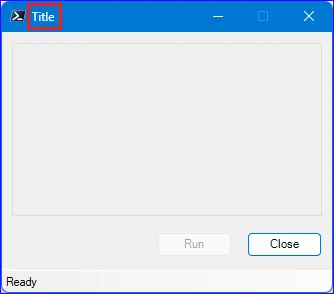
This default
text property value should be set to something that accurately describes the purpose of the ScriptoForm. If additional forms are added, each text property of each Form should accurately represent to purpose of that Form:$FormMain.Icon = [System.Drawing.Icon]::ExtractAssociatedIcon((Get-Process -Id $PID).Path)$FormMain.Text = "Title"$FormMain.Text = "Schedule Server Restart"$FormMain.Font = New-Object -TypeName System.Drawing.Font("MS Sans Serif",8)$FormMain.ClientSize = New-Object -TypeName System.Drawing.Size($FormWidth,$FormHeight)$FormMain.StartPosition = [System.Windows.Forms.FormStartPosition]::CenterScreen$FormMain.FormBorderStyle = [System.Windows.Forms.FormBorderStyle]::FixedSingle$FormMain.MaximizeBox = $false$FormMain.AcceptButton = $ButtonRun$FormMain.CancelButton = $ButtonClose$FormMain.Add_Shown($FormMain_Shown)