MessageBox
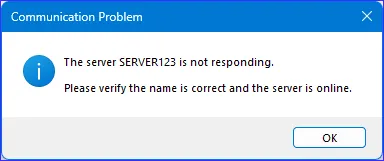
In a ScriptoForm, the Microsoft .NET MessageBox class displays a modal dialog box used to communicate a message to the user. For example, the ScriptoForm can use a MessageBox to notify the user that action has completed or that an error has occurred.
Examples
Section titled “Examples”Add-Type -AssemblyName System.Windows.Forms[System.Windows.Forms.Application]::EnableVisualStyles()
# Show informational icon[void][System.Windows.Forms.MessageBox]::Show( "This is a test.", "Title", [System.Windows.Forms.MessageBoxButtons]::OK, [System.Windows.Forms.MessageBoxIcon]::Information)
# Show warning icon[void][System.Windows.Forms.MessageBox]::Show( "This is a test.", "Title", [System.Windows.Forms.MessageBoxButtons]::OK, [System.Windows.Forms.MessageBoxIcon]::Warning)The System.Windows.Forms Assembly must be loaded prior to using a MessageBox.